EQ that
teaches you
to hear.
Educate EQ names the frequencies other equalizers just number. Five bands, plain-English labels, and the exact Hz behind every mix problem you've ever fought with.
Stop guessing at Hertz. Start hearing the problem.
Educate EQ was built for the moment a producer says "make it less muddy" and you reach for a number instead of a name.
Every knob on Educate EQ is labelled with the thing you're actually trying to fix — Rumble, Mud, Honk, Nasal, Harshness, Brightness — not just a frequency you have to memorise.
Pick a descriptor from the dropdown, dial it in, and watch the number underneath teach you where that sound actually lives. Do it enough times and you stop needing the labels at all — which is the whole point.
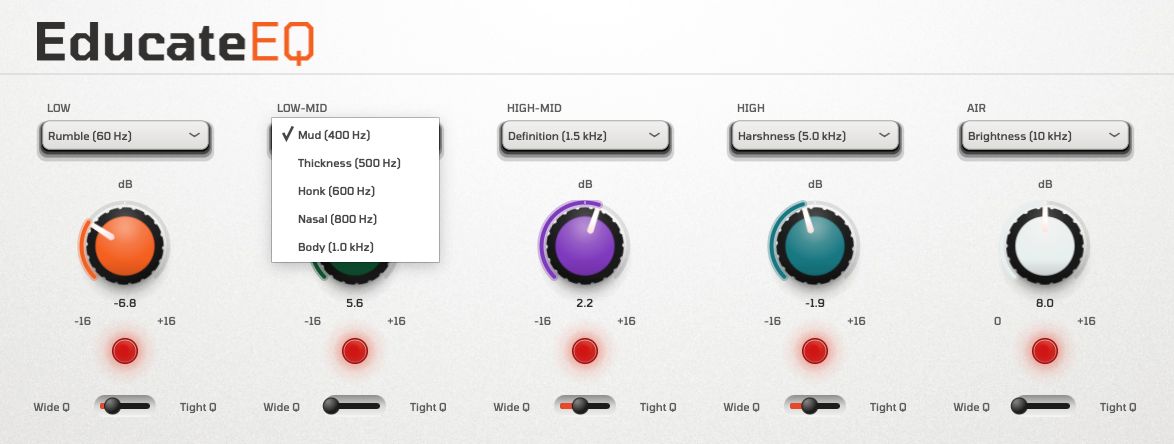
Every problem frequency, named.
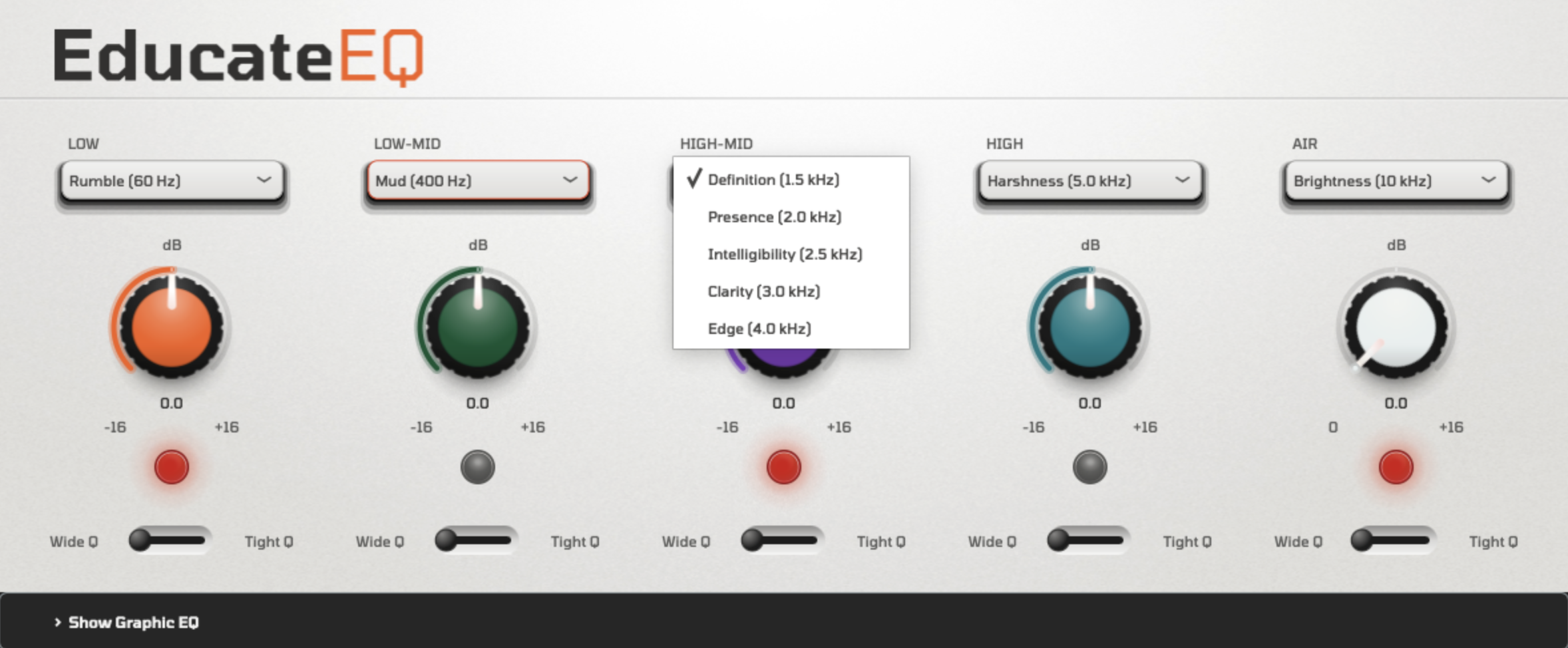
Each band ships with a curated list of the most common mix complaints at that range — swap between them from the dropdown.
- Low60 Hz
- Boom90 Hz
- Warmth120 Hz
- Fullness200 Hz
- Boxiness300 Hz
- Mud400 Hz
- Thickness500 Hz
- Honk600 Hz
- Nasal800 Hz
- Body1.0 kHz
- Definition1.5 kHz
- Presence2.0 kHz
- Intelligibility2.5 kHz
- Clarity3.0 kHz
- Edge4.0 kHz
- Harshness5.0 kHz
- Sibilance6.0 kHz
- Sizzle7.0 kHz
- Crispness8.0 kHz
- Sheen9.0 kHz
- Brightness10 kHz
- Air12 kHz
- Shimmer15 kHz
- Silk18 kHz
- Sparkle20 kHz
Pro Design understood by everyone.
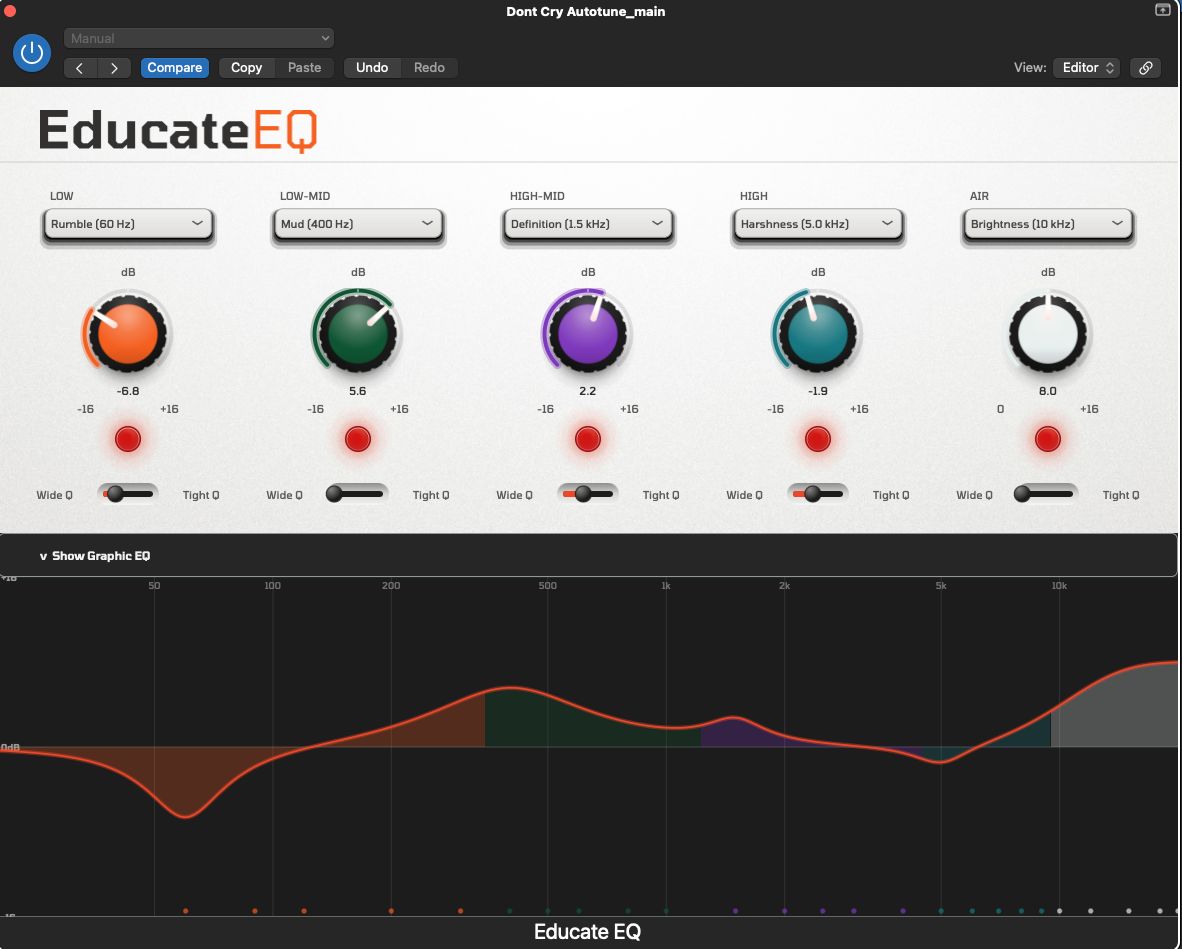
Rack-style hardware looks, mapped to a plugin window that stays out of your way — with a full graphic EQ curve when you want to see the detail.
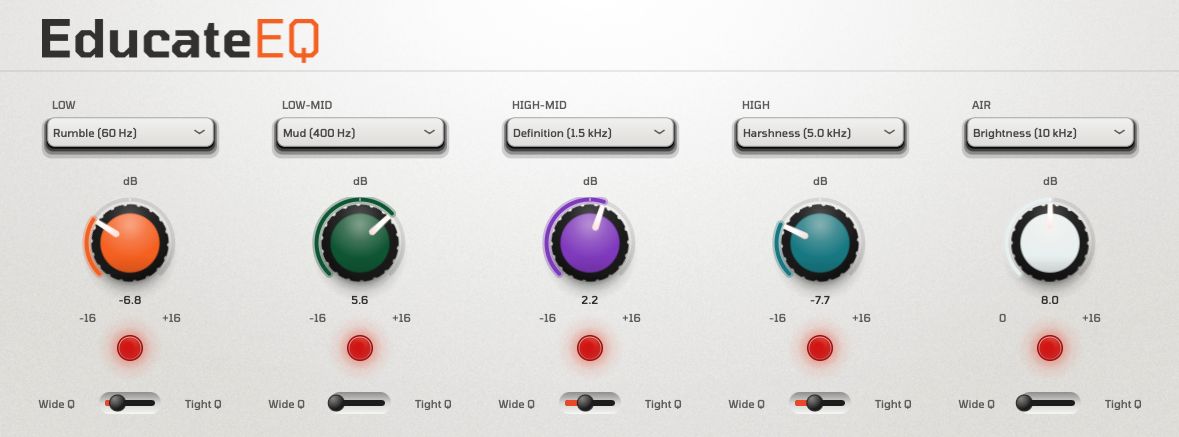
Three moves, every band.
Name the problem
Choose a descriptor from the dropdown — Mud, Honk, Harshness — instead of hunting for a frequency by ear.
Cut or boost
Turn the knob ±16 dB. The colour ring and red indicator show exactly how far you've pushed it.
Shape the width
Slide between Wide and Tight Q to control how surgical or musical the move feels.
See it move.
Own Educate EQ.
One plugin. One price. No subscription.
A single licence unlocks Educate EQ for every project you work on, on up to two machines.
- 5-band EQ with plain-English frequency labels
- ±16 dB cut/boost, Wide–Tight variable Q per band
- Full graphic EQ curve view
- VST3, AU and AAX — macOS & Windows
- Free updates within the 1.x line